



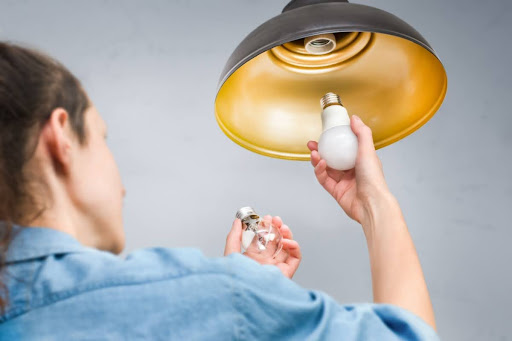
LED lighting has become the preferred choice for homeowners and businesses thanks to its energy efficiency, long lifespan, and excellent brightness. However, one common frustration many people experience is installing a dimmer switch only to find that their LED bulbs won’t dim properly. Instead, they may flicker, buzz, suddenly turn off, or stay at full brightness.
If you’re wondering how to dim a light bulb correctly and why your LED bulb isn’t responding as expected, you’re not alone. The good news is that most dimming issues have simple explanations and can often be fixed without replacing your entire lighting system.
In this guide, we’ll explain why LED bulbs sometimes fail to dim, how LED dimming works, and the steps you can take to solve the problem.
How Do LED Bulbs Dim?
Unlike traditional incandescent bulbs, LEDs don’t reduce brightness simply by lowering voltage. Instead, LED bulbs use an internal electronic driver that controls the amount of power reaching the LED chips.
For dimming to work correctly, three components must be compatible:
- A dimmable LED bulb
- A compatible LED dimmer switch
- Proper electrical wiring
If any one of these components isn’t compatible, you may experience dimming problems.
Common Reasons Your LED Bulb Isn’t Dimming
1. The LED Bulb Isn’t Dimmable
This is by far the most common cause.
Not all LED bulbs support dimming. Many standard LED bulbs are designed to operate only at full brightness.
Signs
- Light stays at 100% brightness
- Light suddenly turns off when dimmer is lowered
- No change in brightness
How to Fix It
Check the bulb packaging or product specifications.
Look for labels such as:
- Dimmable LED
- Compatible with LED dimmers
- Dimming range listed
If the bulb isn’t dimmable, replacing it is the only solution.
2. Your Dimmer Switch Is Too Old
Many homes still use dimmer switches originally designed for incandescent bulbs.
These older dimmers require much higher electrical loads than LED bulbs provide.
Common Symptoms
- Flickering
- Buzzing sounds
- Flashing lights
- Limited dimming range
Solution
Replace the old dimmer with an LED-compatible dimmer specifically designed for low-wattage LED lighting.
Modern LED dimmers provide smoother operation and better brightness control.
3. Bulb and Dimmer Are Incompatible
Even if both products say “dimmable,” compatibility isn’t always guaranteed.
Different manufacturers use different LED driver technologies, and not every dimmer works equally well with every bulb.
Symptoms
- Flickering at low brightness
- Lights turning off unexpectedly
- Uneven dimming
- Sudden brightness jumps
Solution
Check the compatibility list provided by your dimmer manufacturer.
Many leading dimmer manufacturers publish approved LED bulb lists.
4. Minimum Load Requirements
Some dimmer switches require a minimum electrical load before they can regulate brightness correctly.
LED bulbs consume far less power than incandescent bulbs, sometimes falling below this threshold.
Example
Older dimmer:
- Minimum load: 40 watts
Installed LEDs:
- Four 8-watt bulbs
Total load:
32 watts
Since the total load is below the required minimum, the dimmer may not function properly.
Solution
Upgrade to a low-load LED dimmer.
5. Poor Quality LED Drivers
Inside every LED bulb is an electronic driver.
Lower-quality drivers often struggle to regulate current consistently while dimming.
Symptoms
- Inconsistent brightness
- Buzzing
- Flickering
- Reduced dimming range
Solution
Purchase high-quality LED bulbs from reputable manufacturers.
Better drivers deliver smoother dimming and longer product life.
6. Incorrect Wiring
Sometimes the problem isn’t the bulb or dimmer at all.
Loose connections or improper installation can prevent the dimmer from functioning correctly.
Signs
- Lights flicker randomly
- Entire circuit behaves unpredictably
- Dimming works intermittently
Solution
Turn off the power and inspect wiring if you’re comfortable doing so.
If you’re unsure, contact a licensed electrician.
7. Mixing Different LED Bulbs
Using different brands or wattages on the same dimmer circuit can create uneven performance.
Each LED driver behaves differently.
Result
- Some bulbs dim more than others
- Brightness levels become inconsistent
- Flickering occurs
Best Practice
Use identical:
- Brand
- Wattage
- Color temperature
- Model
throughout the fixture whenever possible.
8. Voltage Fluctuations
Fluctuating household voltage can interfere with LED drivers.
Although quality LEDs are designed to handle minor changes, larger fluctuations can affect dimming performance.
Possible Signs
- Random flickering
- Lights changing brightness on their own
- Multiple fixtures affected
Solution
If several fixtures experience the same issue, have your home’s electrical system inspected.
Common LED Dimming Problems
| Problem | Possible Cause | Solution |
| Flickering | Old dimmer | Replace with LED-compatible dimmer |
| Buzzing | Poor driver or incompatible dimmer | Upgrade bulb or dimmer |
| Won’t dim | Non-dimmable bulb | Install dimmable LED |
| Turns off suddenly | Minimum load issue | Replace dimmer |
| Uneven brightness | Mixed bulb types | Use matching bulbs |
| Flashing | Wiring or compatibility issue | Check wiring and compatibility |
How to Test Your LED Dimming Problem
Follow these troubleshooting steps:
Step 1
Confirm your bulb is labeled “Dimmable.”
Step 2
Check whether your dimmer switch is designed for LEDs.
Step 3
Test another dimmable LED bulb.
Step 4
Try a different LED-compatible dimmer.
Step 5
Inspect wiring if necessary.
Step 6
Review the manufacturer’s compatibility recommendations.
Working through these steps can often identify the cause without replacing every component.
Can All LED Bulbs Be Dimmed?
No.
Many budget-friendly LED bulbs are built only for on/off operation.
Always check product specifications before purchasing if dimming is important for your space.
Benefits of Proper LED Dimming
Once your lighting system is properly matched, you’ll enjoy several advantages.
Greater Energy Savings
Lower brightness means lower power consumption, helping reduce electricity usage.
Better Ambiance
Adjust lighting levels for movie nights, dining, reading, or relaxing.
Longer Bulb Life
Running LEDs at lower brightness may reduce heat buildup and contribute to longer-lasting performance.
Improved Comfort
Reduce glare while maintaining comfortable illumination for different activities.
Tips for Choosing Dimmable LED Bulbs
Before purchasing, consider these factors:
- Choose bulbs clearly labeled as dimmable.
- Verify compatibility with your existing dimmer switch.
- Select the appropriate brightness (lumens) for the room.
- Pick the right color temperature for the desired atmosphere.
- Buy from trusted manufacturers known for quality LED drivers.
- Avoid mixing different brands and models on the same dimmer circuit.
Frequently Asked Questions
Why does my LED bulb flicker when dimmed?
Flickering usually results from an incompatible dimmer switch, a non-dimmable bulb, or a poor-quality LED driver.
Can I use a regular dimmer with LED bulbs?
Sometimes, but many older dimmers are designed for incandescent bulbs and may not work properly with LEDs. An LED-compatible dimmer is recommended.
Why do my LED lights turn off before reaching the lowest dim setting?
This often happens because the dimmer’s minimum load requirement is higher than the total wattage of the connected LED bulbs.
Does dimming reduce LED lifespan?
Generally, no. In many cases, proper dimming reduces heat generation and can help maintain long-term performance.
Is buzzing normal when dimming LED bulbs?
No. Buzzing usually indicates an incompatible dimmer, poor-quality bulb, or electrical issue that should be addressed.
Conclusion
If your LED bulb isn’t dimming properly, the cause is usually a compatibility issue rather than a defective bulb. Non-dimmable LEDs, outdated dimmer switches, incompatible drivers, minimum load requirements, and wiring problems are among the most common reasons. By identifying the root cause and using compatible, high-quality components, you can enjoy smooth, flicker-free dimming and create the perfect lighting for any room.
Whether you’re upgrading your home or planning a commercial lighting project, investing in reliable dimmable LED products makes a noticeable difference in performance and comfort. Buy LED Online offers a wide selection of quality LED lighting solutions to help you find the right bulbs, dimmers, and fixtures for your lighting needs.
