

Close Menu
WorldWise Pulse

    Subscribe to Updates

    Get the latest creative news from FooBar about art, design and business.

    What's Hot

    What Sydney Parents Need to Know Before Booking a Marvel Superhero Party

    February 24, 2026

    Where Can I Get Mobile Phone Repair in Edmonton?

    February 24, 2026

    Raja Slot: The Ultimate Beginner’s Guide

    February 22, 2026
    Facebook X (Twitter) Instagram
    Facebook X (Twitter) Instagram
    WorldWise PulseWorldWise Pulse
    • Home
    • Garden & Outdoor
    • Health & Care
    • Categories
      • Business & Industrial
      • Fashion & Beauty
      • Baby & Parenting
      • Home Decor
      • Automotive & Vehicles
      • Internet & Telecom
      • Jobs & Education
      • Law & Government
      • Lifestyle
      • Pets & Animals
      • Real Estate
      • Science & Inventions
      • Sports & Camping
      • Technology
      • Travel & Leisure
    • Write For Us
    • Contact Us
      • Affiliate Disclosure
      • Privacy Policy
      • Disclaimer
    WorldWise Pulse
    Home»General»How to Build Your Own Custom 75 Keyboard from Scratch
    General

    How to Build Your Own Custom 75 Keyboard from Scratch

    Bisma AzmatBy Bisma AzmatDecember 6, 2025No Comments
    Facebook Twitter Pinterest LinkedIn WhatsApp Reddit Tumblr Email
    Share
    Facebook Twitter LinkedIn Pinterest Email

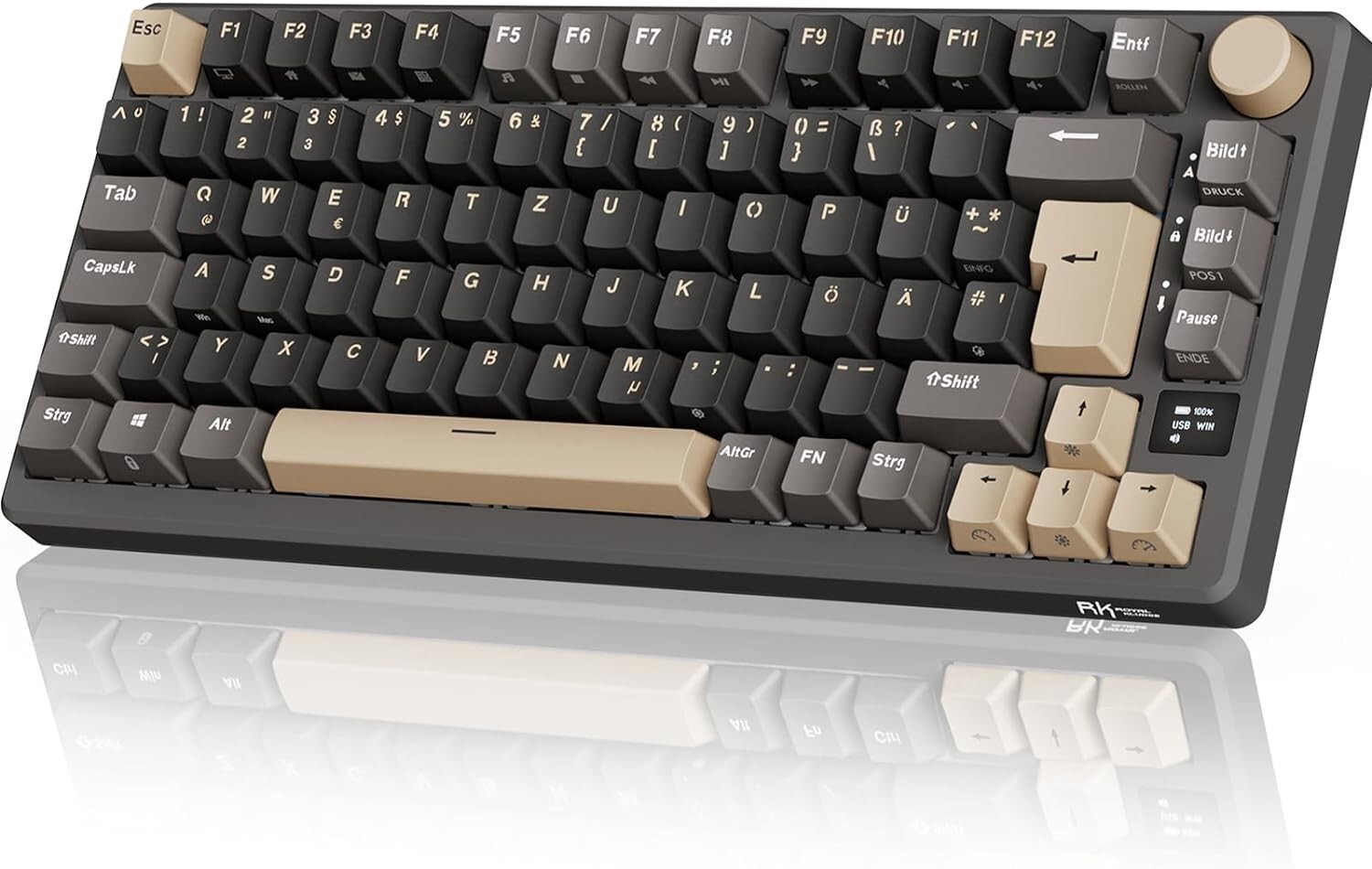
    Custom keyboards have become increasingly popular among tech enthusiasts and gamers alike. Among the various layouts, the 75% keyboard offers an excellent balance between compactness and functionality. If you’ve ever wondered how to build your own custom 75 keyboard from scratch, this guide will walk you through the process step by step.

    Contents

    Toggle
    • What is a 75% Keyboard?
    • Components Needed for Your Custom 75 Keyboard
    • Step-by-Step Guide to Building Your Keyboard
      • Step 1: Preparing the PCB and Case
      • Step 2: Installing Stabilizers
      • Step 3: Mounting the Switches
      • Step 4: Attaching Keycaps
      • Step 5: Testing and Customizing
    • Tips for a Successful Build
    • Conclusion

    What is a 75% Keyboard?

    Before diving into the build process, it’s important to understand what makes a 75% keyboard unique. A 75% keyboard typically includes 84–87 keys, retaining essential function keys and arrow keys while minimizing the overall footprint. This layout is ideal for users who want a smaller desk presence without sacrificing usability.

    Components Needed for Your Custom 75 Keyboard

    To successfully build a custom 75 keyboard from scratch, you’ll need the following components:

    1. Keyboard Case – Choose from materials like aluminum, plastic, or acrylic.

    2. PCB (Printed Circuit Board) – Ensure compatibility with the 75% layout.

    3. Switches – Mechanical switches based on your preference (tactile, linear, or clicky).

    4. Keycaps – Select keycap sets that match your aesthetic and typing feel.

    5. Stabilizers – Reduce wobble in larger keys like the spacebar and Enter.

    6. Tools – Soldering kit, keycap puller, switch opener, and screwdrivers.

    Step-by-Step Guide to Building Your Keyboard

    Step 1: Preparing the PCB and Case

    Start by carefully placing the PCB into the keyboard case. Make sure it aligns with the mounting points. This ensures a stable foundation for your build.

    Step 2: Installing Stabilizers

    Install stabilizers on the larger keys. Lubing them can improve the typing experience by reducing noise and friction.

    Step 3: Mounting the Switches

    Insert your chosen switches into the PCB. Depending on your PCB, this may require soldering. Ensure each switch is firmly seated and aligned.

    Step 4: Attaching Keycaps

    Once all switches are in place, attach your keycaps. This is where your keyboard starts to take its final form and aesthetic appeal.

    Step 5: Testing and Customizing

    After assembly, connect your keyboard to a computer and test each key. Many custom 75 keyboards allow for firmware customization, so you can program macros, remap keys, or adjust lighting effects.

    Tips for a Successful Build

    • Take your time with soldering to avoid mistakes.

    • Test stabilizers and switches before final assembly.

    • Consider using hot-swappable PCBs if you want flexibility in changing switches later.

    Conclusion

    Building a custom 75 keyboard from scratch is a rewarding project that combines technical skill with personal expression. Not only do you get a functional tool tailored to your preferences, but you also gain the satisfaction of creating something truly unique. By following this guide, you’ll be well on your way to owning a stylish and efficient keyboard that suits your typing style perfectly.

    Share. Facebook Twitter Pinterest LinkedIn Tumblr Telegram Email
    Bisma Azmat
    • Website

    Related Posts

    Buffet Lunch Catering for Product Launches and Networking Events

    February 9, 2026

    Mini Buffet Catering: Ideal for Condos and HDB Home Events

    February 5, 2026

    The Art of the Lifelike: Navigating Japan’s Intersection of Tradition and the Uncanny

    February 5, 2026
    Leave A Reply Cancel Reply

    Demo
    Top Posts

    Where Can I Get Mobile Phone Repair in Edmonton?

    February 24, 2026

    First Look At Joaquin Phoenix in Ridley Scott Movie

    January 14, 2021
    7.2

    How to Choose the Best Bike for You, According to Bike Experts

    January 14, 2021

    More Brands are Making the ‘Easy Transition’ to Home Decor

    January 14, 2021
    Don't Miss
    Entertainment

    What Sydney Parents Need to Know Before Booking a Marvel Superhero Party

    By Najaf BhattiFebruary 24, 2026

    Sydney families are discovering that superhero parties aren’t just about costumes and capes anymore—they’re about…

    Where Can I Get Mobile Phone Repair in Edmonton?

    February 24, 2026

    Raja Slot: The Ultimate Beginner’s Guide

    February 22, 2026

    Unlocking Big Wins: How to Maximize Your Winnings with Kingbet89 Bonuses

    February 22, 2026
    Stay In Touch
    • Facebook
    • Twitter
    • Pinterest
    • Instagram
    • YouTube
    • Vimeo

    Subscribe to Updates

    Get the latest creative news from SmartMag about art & design.

    Demo
    © 2026 ThemeSphere. Designed by ThemeSphere.
    • Home
    • Garden & Outdoor
    • Health & Care
    • Categories
      • Business & Industrial
      • Fashion & Beauty
      • Baby & Parenting
      • Home Decor
      • Automotive & Vehicles
      • Internet & Telecom
      • Jobs & Education
      • Law & Government
      • Lifestyle
      • Pets & Animals
      • Real Estate
      • Science & Inventions
      • Sports & Camping
      • Technology
      • Travel & Leisure
    • Write For Us
    • Contact Us
      • Affiliate Disclosure
      • Privacy Policy
      • Disclaimer

    Type above and press Enter to search. Press Esc to cancel.